

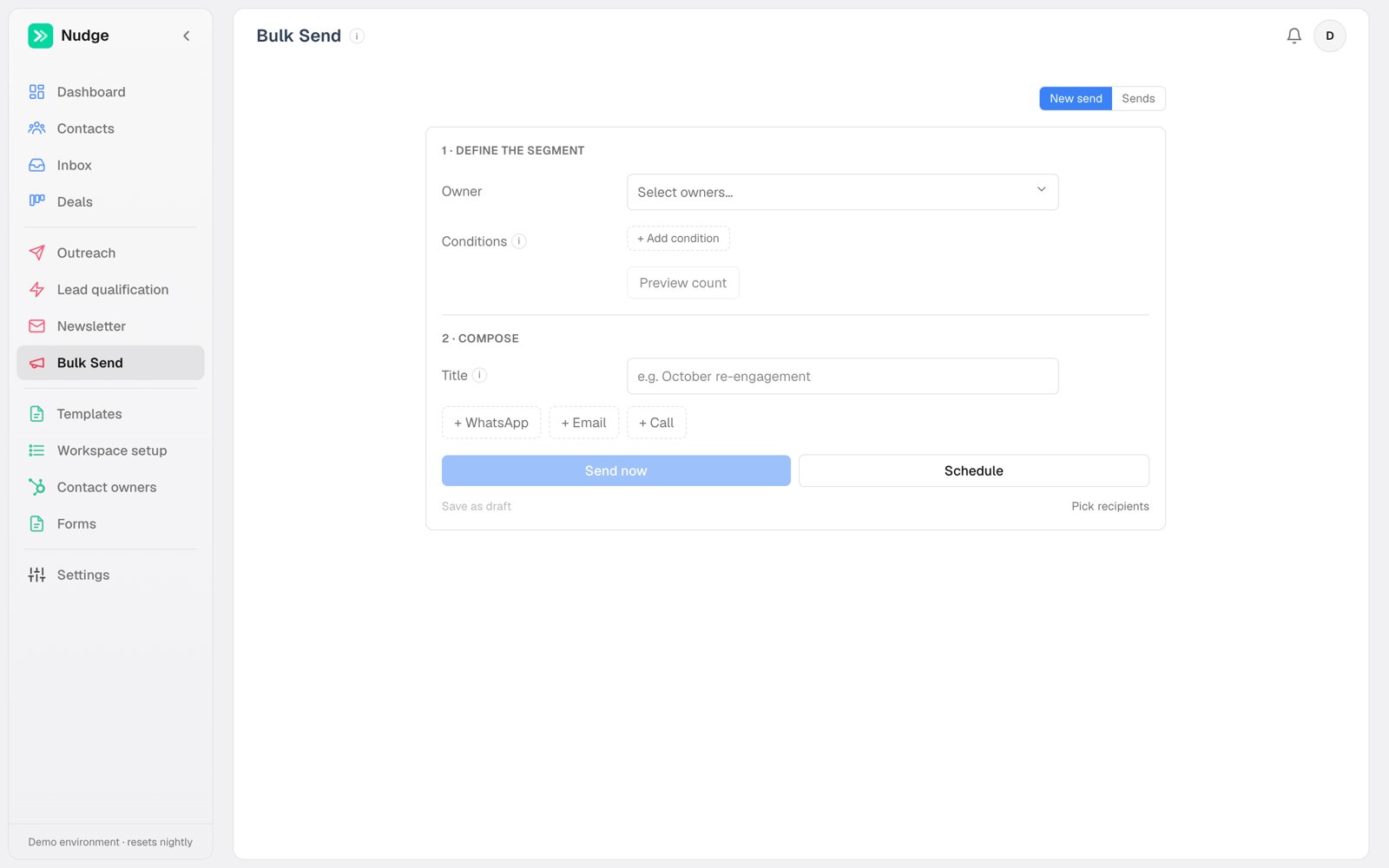
Where things are
The tab opens on the record: every bulk action you have run, newest first. New bulk action starts a new one, and the back arrow returns you to the list. Anything you start saves itself as a draft a second after you stop typing, so switching tabs or reloading the page will not lose it. It waits in the Drafts list until you send it. Discard throws away a bulk action you started and its draft.Define the segment
Pick owners and add conditions, the same condition builder automations use. Find contacts counts the matches and loads them into the recipient list below, where you tick who receives it. You can also start from the contacts table: select rows there and act on just those.Use a CSV file
Got a list from somewhere else, like the people who joined a webinar? Press Upload CSV, or drop the file on the segment area. Nudge finds the name, email and phone columns itself; if it picked the wrong one, change it in the dropdown. Any spreadsheet saved as CSV works, with commas or semicolons, up to 2,000 rows. Nothing changes until you say so. First every row is checked, and you see something like 38 found · 2 new · 1 skipped:- Found people are already your contacts. Nudge looks for them by email first, then by phone. Their records are left exactly as they are, even if the file has a detail the contact is missing.
- New people are created when you press Add 2 new and continue. You can pick an owner for them first.
- Skipped rows are listed with the reason: no email and no phone, the same person twice in the file, or a contact that is in Deleted.
- Not on WhatsApp — the number cannot receive WhatsApp and never will. This is the one worth acting on: set those contacts to whatever you use for “no longer reachable”, so they stop being picked up by every future send.
- Failed (other) — something blocked that one message: too long since they last wrote for a free-form reply, a template still awaiting approval, a busy moment. The number is fine. Do not close these.
- Sent — their last message went through.
Compose
Add a WhatsApp, email or call step and pick a template or write a one-off. Variables resolve per recipient, so a bulk message still opens with[firstname]. Each step carries its own When: the campaign starts when you press send, and a step set to after 30 minutes goes half an hour later. That is how one campaign sends a message straight away and rings the phone later. If you are not ready, just leave: it is already in the Drafts list. Saved drafts are shared: everyone in the workspace sees them, with the name of who started each one, and anyone can open, refine or delete one. A send with no title takes its name from the message you picked.
If the WhatsApp message you picked has reply buttons, one more block appears under it for each button: When they tap “Not Available”. A button can do more than one thing, and it happens on its own when that person taps, however long after the send that is.
What it sends. Pick another WhatsApp message, an email, or a call from one of your voice agents. Send something else adds a second, a third, as many as the answer deserves: a message now and a call tomorrow is one button’s answer, not two campaigns. Beside each choice sit the same two controls an automation step has: how long to wait, and which hours it may go out in. A few minutes reads less like a machine than an instant reply. A WhatsApp answer has to wait less than a day, because the tap opens their 24-hour reply window, and inside that window any WhatsApp template works, approved or not. An email or a call has no such window, so its wait can be as long as you like. A call waits for the voice agent’s calling hours unless you set it to any time, so a tap at eleven at night does not ring someone’s phone at eleven at night. Leave a button on Nothing to send nothing for it.
A call a tap books is a call they asked for. Someone pressing “Yes, call me” has asked for it as clearly as someone naming a time on the phone, so Nudge treats it the same: if that call is missed, your missed-callback rules chase it like any other promise. It does not quietly end there.
What it records. Set property and Note sit in the same row as the message steps, so one button’s answer is one list of things it does. Set any property the same way an automation does, and add a note if you want one. Yes sets the status to Interested, No sets it to Cancelled, and the note says in your own words what the button meant. This happens the instant they tap, before anything is sent, so a message going out afterwards can print the value the tap just set. If the value is one an admin has marked as the end of the road (a status of Cancelled, say), the calls still queued for that person are dropped and their contact page says so: they have answered the question, and ringing them anyway is not listening. One tap is one contact, so these land immediately rather than queueing behind a whole segment.
Set this up before you send. Once a campaign has gone out it is a record: the Sends page shows what its buttons were set to do and nothing there can be edited, because what a tap does was decided before it ran.
To answer a button after the fact, use Follow up (below). It reaches the people who already tapped, and its switch turns that same answer into the button’s standing reply for everyone who taps from then on. One follow-up does both jobs.
Whatever it sends collects on the Sends page as a send of its own, named after the campaign and the button (“Hosts · Not Available”), filling up as people tap, with its own counts, answers and, if you like, its own follow-ups. A button that only records something creates no send of its own: the change shows on each contact’s own page instead.
A bulk call step skips two kinds of contact and says so on each contact’s Activity: someone who already has a call queued (a retry, or a callback they asked for), and someone already rung today. One attempt a day is enough, and the machine was already on the other one. The Call button on a single contact is never held back — a person pressing it is the decision — and when it is pressed, any automated calls still queued for that contact are cancelled, except a callback the contact asked for at a time of their choosing.
Property actions
A campaign does not have to send anything. Set property sits in the same row as the message steps, so setting a status is one more thing this campaign does rather than a separate kind of campaign. Set possibility, owner, or any field in your registry. A run with only property actions and no messages is a pure data change, which is the fastest way to fix a few hundred contacts that were tagged wrong. This works on every workspace, HubSpot-synced ones included. The writes queue and reach HubSpot in the background, and while one is in flight the sync leaves that property alone rather than reading the old value back over it.The automation dry-run
Changing a property can start an automation, which means a data fix can quietly turn into a thousand messages. So before a run that writes properties, Nudge simulates the result and checks it against your active automations. If nothing would fire, it just runs. If something would, you get a dialog naming each automation and how many contacts it would newly hit, and you decide. This is the safety net between “I relabelled some contacts” and “why did everyone get texted”.What keeps it safe
A bulk send goes out from a Cloud API number, and the picker offers nothing else. Volume down a personal number is the fastest way to get that number blocked, and the Cloud API is the lane built to carry it. Which number is usually not a question: an approved message belongs to one WhatsApp account, and that account decides the number. So the number simply appears beside the message you picked, and the template list names it against each option before you choose. You only get a picker when there is a real choice to make, which means a message approved on two accounts, or one with no approval at all. If a message has no approval it cannot go out cold, so submit it from the template editor first. Bulk messages join the same per-number queue as everything else. If the template has language tabs, a Send in picker appears on the action. The default sends each contact the tab matching their language (or your Default language, if they have none), and skips anyone the template doesn’t cover when no Default language is set. Pick one language to send that tab to everyone in the segment instead. The same picker exists on automation actions. A reply does not cancel a bulk send: you chose the segment, so everyone in it gets the message even if they wrote in recently. That is different from automations, which stand down for a contact who replied. If a campaign has several steps and you want later steps to stop for people who answered, that is an automation’s job.Tracking
The list shows each campaign with live counts and either its state (Sending, Paused, Cancelled) or, once it has finished, when it went out. Click one to open it. An open campaign answers four questions, one card each: what came back, what the send was, what a tap does, and who got it. Delete sits at the foot of the page on its own; it removes the campaign from this list, and the messages it sent stay on each contact’s timeline. What came back is a single bar across the whole send. Each button that was tapped takes its own colour, people who wrote back in words are grey, and everyone who never replied is the empty part of the bar, because silence is the absence of an answer rather than another kind of one. Underneath, each answer is listed with its count and its share of everyone the send reached. Click any line and the bar dims the rest while the table below narrows to those people. If the message had a link button, one more line sits under the answers: Clicked the link, with how many people opened it. It is not part of the bar, because someone can open the link and reply too. Click it to see who clicked, or to follow up with only them. A click is counted when a person opens the link from their phone. Apps that fetch a link to build a preview are left out, and someone who opens it twice counts once. Clicks are counted for templates approved from 10 October 2026 on. A template approved before then still works exactly as it did, but its clicks aren’t counted unless you submit it to Meta again. Who got it is every recipient with what actually happened to them:
The Phone column shows the number the message actually went to. That is not always the number on the contact: one stored as
0876147247 with no country code is completed when it is sent, from your phone markets or from the country of the line it went out on, and this column shows the result rather than the raw value.
The table has an Answer column: the button they tapped, in the words they saw, or the first line of what they wrote. The funnel on the column header filters the same way (pick several at once), and the line above the table says what is hidden: “49 of 265 shown”.
Follow up starts a new send to the people of this one. It sits on the answers card, or on the tap card when the send had buttons. The composer opens with them loaded and shows what it is following up on, then Who: Everyone, each button with its count, Wrote back, No reply, Not delivered. It starts on whatever you had narrowed to; change it there.
Each answer wants its own follow-up, since each one deserves different words and a different status.
When Who is a single button, the composer also offers Future taps, on by default. Leave it on and the send you are composing becomes that button’s standing answer: everything in it, every message step on its own timing and every property it sets, happens for anyone who taps from then on, and those people join this same send, so its list and counts keep growing. The people already in the list need an approved template, since their reply window closed when the day did; the future tappers accept any.
The message you pick can have buttons of its own, and then it gets its own When they tap a button in this message block. That is a later turn in the same conversation, not a repeat of the one you are following up on.
Click a recipient’s name to open their contact card. Click anywhere else on their row to open what was actually sent to them: the message with their own details filled in, their reply if they wrote back, and the reason it failed if it did. For a call you get the recording, the summary, the answers the agent collected, and the full transcript.
You can pause a running campaign, resume it, cancel it outright, or rename it from its own page. Load into editor puts a past campaign back into the composer to re-run against a fresh segment. Every sent message also appears on its contact’s timeline like any other touch.
An open campaign has its own link, so you can send one to a colleague.