> ## Documentation Index
> Fetch the complete documentation index at: https://docs.autonudge.dev/llms.txt
> Use this file to discover all available pages before exploring further.
# Workspace setup
> Fields, owners, numbers, agents and connections
Admin surfaces live in four places: Workspace setup, Contact owners, the Accounts area inside Settings, and Settings itself.
## Fields registry (Workspace setup)
The registry defines what a contact IS in your workspace: which fields exist, their labels, their type, and their list options. Everything else derives from it: table columns, contact-page fields, form questions, trigger conditions and message variables. Mark a field "use as variable" and `[yourfield]` resolves in every template. Trigger categories are managed here too; each category becomes a sidebar tab.
## Contact owners
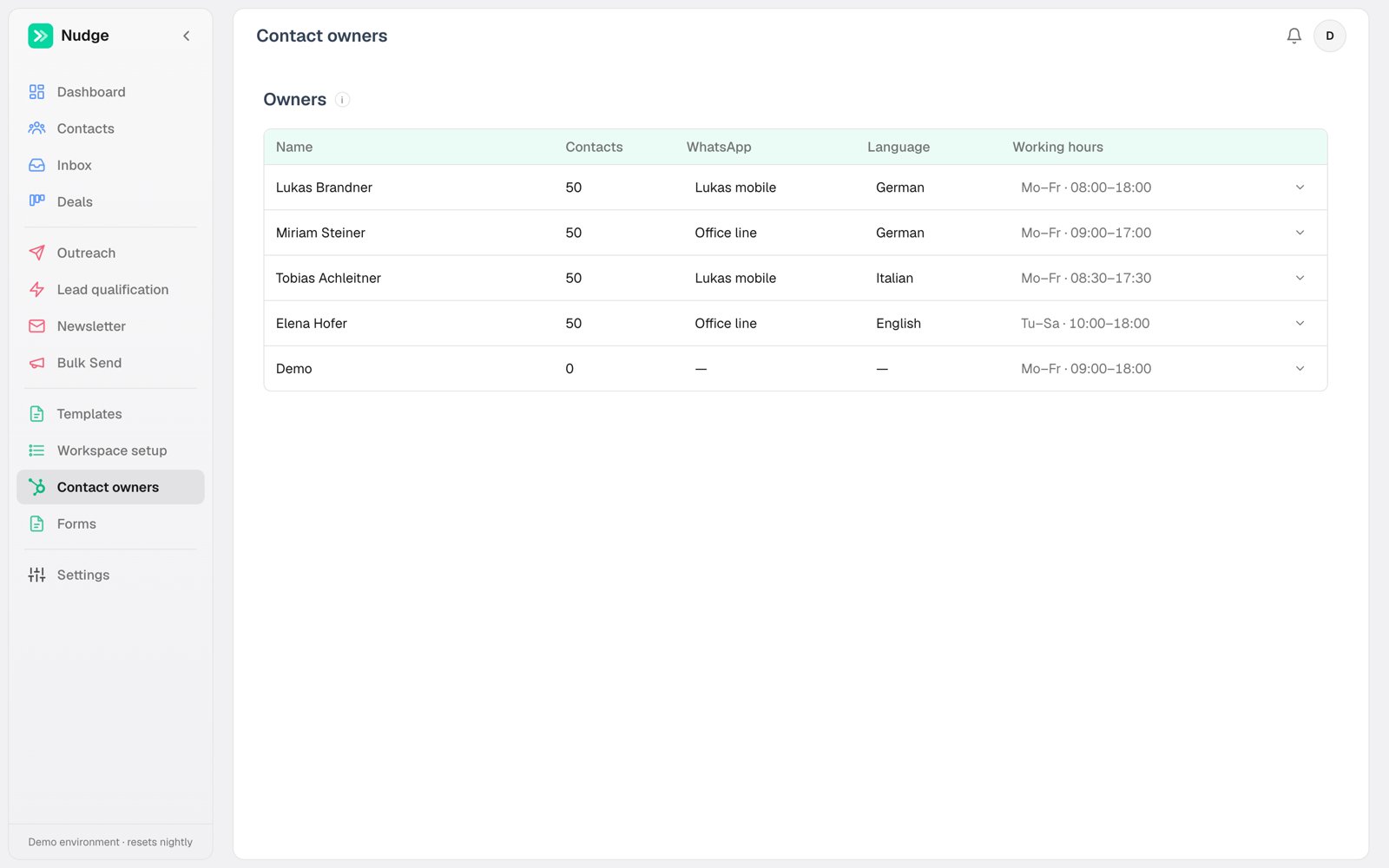 Owners are your reps. Per owner you set:
* **Working hours**, which gate automated WhatsApp sends for their contacts
* **WhatsApp number**, the personal line their messages send from
* **Default calling agent**, so calls to their leads use the right voice and number
* **Language**, which drives template language matching for their audience
## Numbers and agents (Settings, Accounts)
The Accounts area stacks your phone numbers and AI calling agents. Numbers carry their connection type (Evolution API or WhatsApp Business API) and pacing settings; agents carry voice, script, calling hours and their pinned outbound number.
## Connections and alerts (Settings)
API credentials live in Settings: WhatsApp connections, the HubSpot token, email senders. Sync failures raise a bell notification for admins, with an optional per-admin email alert. Theming is also here: light, dark, or automatic by local sunrise and sunset.
Nudge autosaves everywhere. If you are looking for a Save button, the change is already saved; watch for the brief "Saved" indicator.
Owners are your reps. Per owner you set:
* **Working hours**, which gate automated WhatsApp sends for their contacts
* **WhatsApp number**, the personal line their messages send from
* **Default calling agent**, so calls to their leads use the right voice and number
* **Language**, which drives template language matching for their audience
## Numbers and agents (Settings, Accounts)
The Accounts area stacks your phone numbers and AI calling agents. Numbers carry their connection type (Evolution API or WhatsApp Business API) and pacing settings; agents carry voice, script, calling hours and their pinned outbound number.
## Connections and alerts (Settings)
API credentials live in Settings: WhatsApp connections, the HubSpot token, email senders. Sync failures raise a bell notification for admins, with an optional per-admin email alert. Theming is also here: light, dark, or automatic by local sunrise and sunset.
Nudge autosaves everywhere. If you are looking for a Save button, the change is already saved; watch for the brief "Saved" indicator.