> ## Documentation Index
> Fetch the complete documentation index at: https://docs.autonudge.dev/llms.txt
> Use this file to discover all available pages before exploring further.
# Deals and dashboard
> The money view, fed by the same contacts
Deals turn conversations into a pipeline you can count.
 ## The board
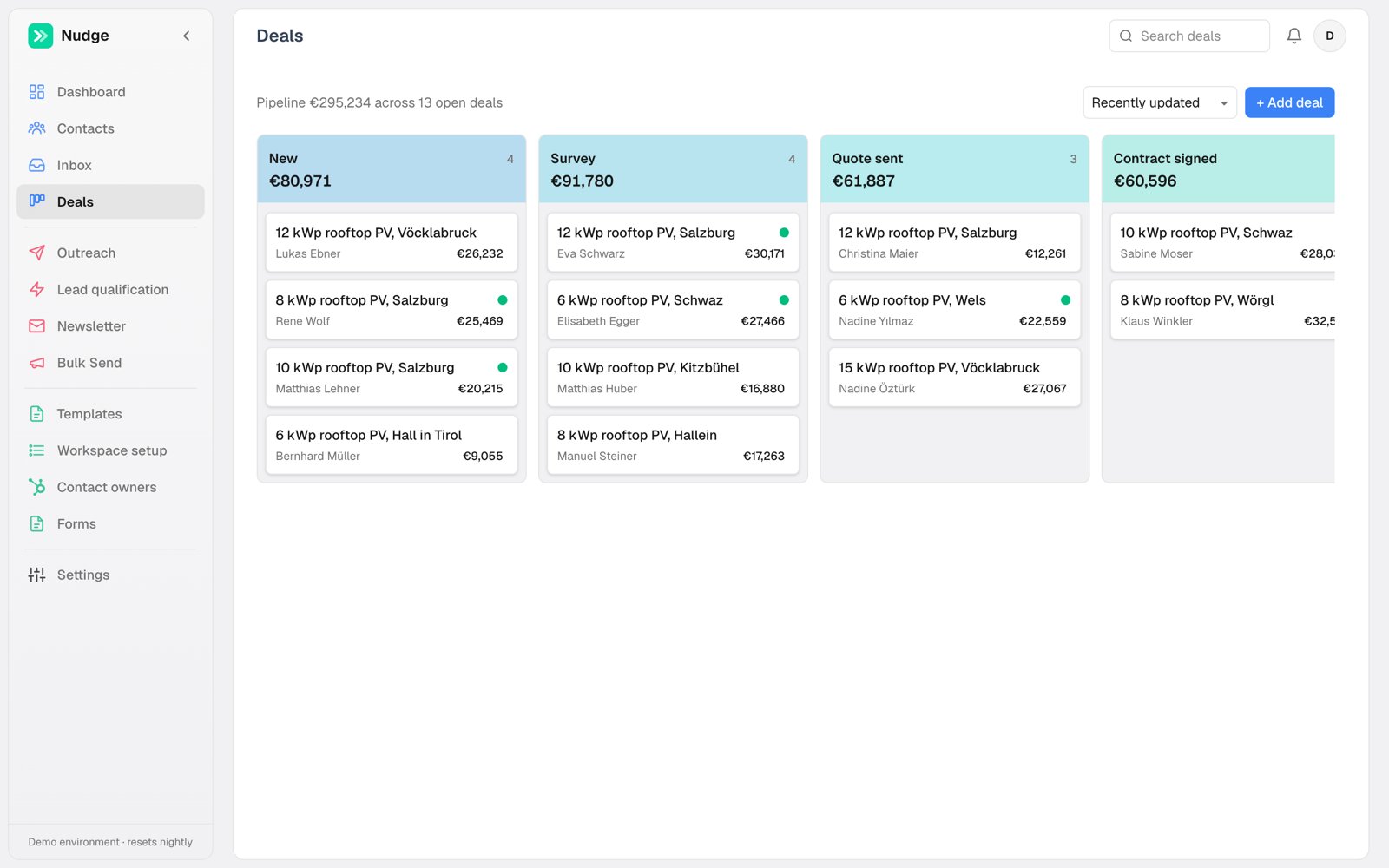
Deals live on a kanban board grouped by stage, with a value total per column. Stages are yours to define per workspace. Add deals from the board or directly on a contact's page; a deal always belongs to a contact, so the full conversation history is one click away.
## The dashboard
The Dashboard reads the same data and answers the owner questions:
## The board
Deals live on a kanban board grouped by stage, with a value total per column. Stages are yours to define per workspace. Add deals from the board or directly on a contact's page; a deal always belongs to a contact, so the full conversation history is one click away.
## The dashboard
The Dashboard reads the same data and answers the owner questions:
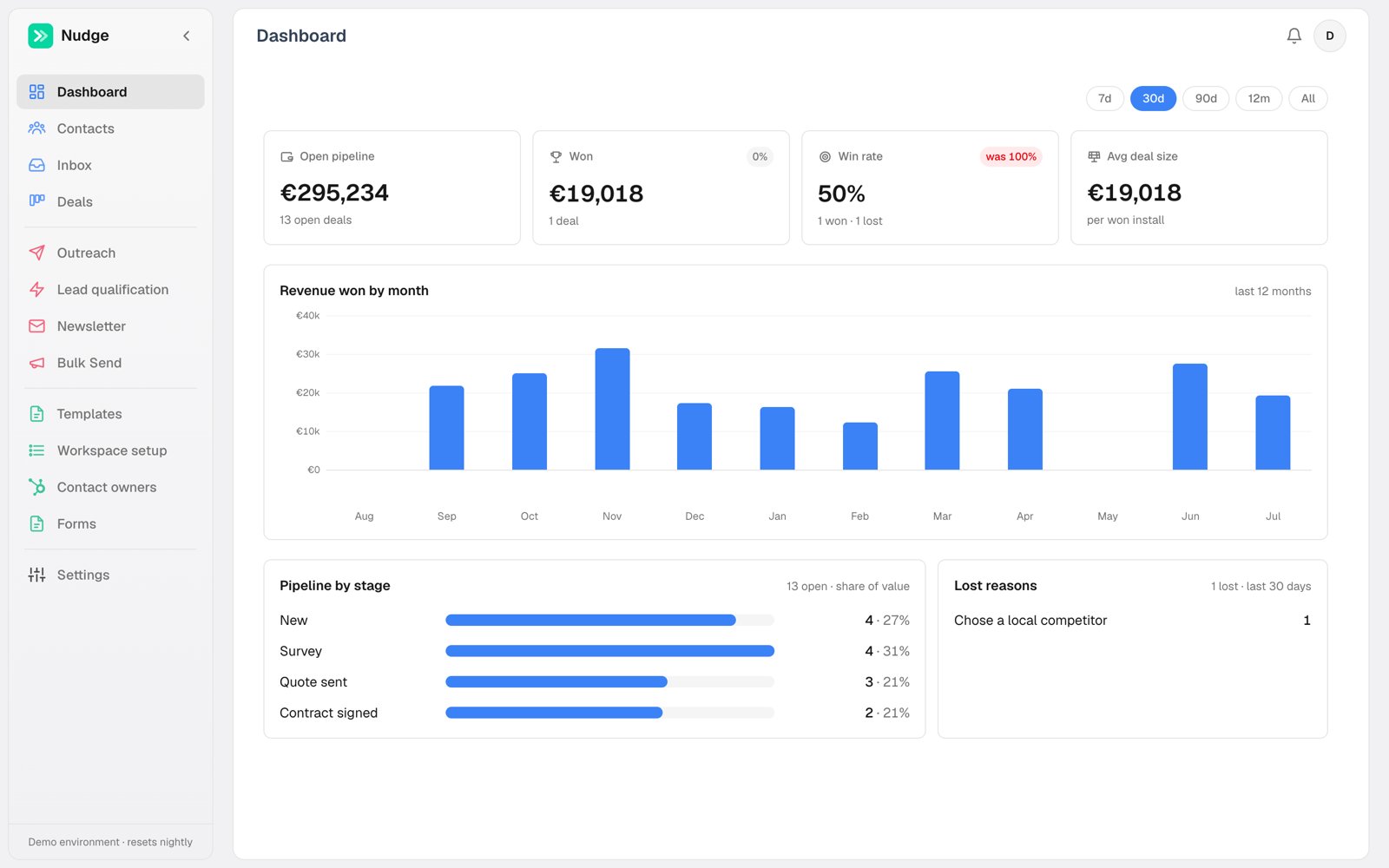 * **Open pipeline** and its deal count
* **Won** value and **win rate** for the selected period, with trend against the previous one
* **Revenue won by month** across the last 12 months
* **Pipeline by stage** and **lost reasons**, so you see where deals die
## Outreach analytics
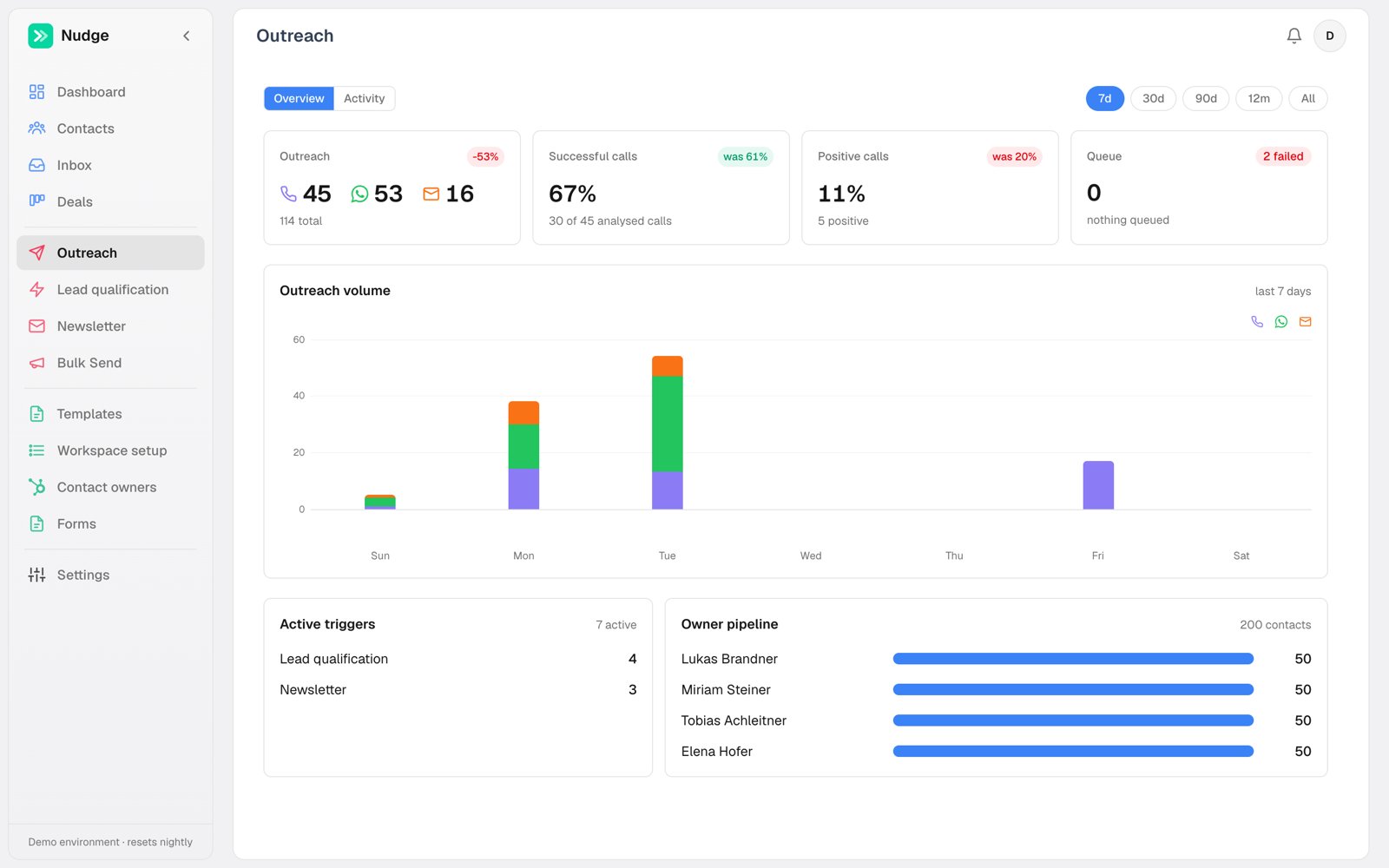
The **Outreach** tab covers the activity side: sends per channel per day, call success and positive-call rates, the live send queue, active triggers, and per-owner pipeline load.
* **Open pipeline** and its deal count
* **Won** value and **win rate** for the selected period, with trend against the previous one
* **Revenue won by month** across the last 12 months
* **Pipeline by stage** and **lost reasons**, so you see where deals die
## Outreach analytics
The **Outreach** tab covers the activity side: sends per channel per day, call success and positive-call rates, the live send queue, active triggers, and per-owner pipeline load.