> ## Documentation Index
> Fetch the complete documentation index at: https://docs.autonudge.dev/llms.txt
> Use this file to discover all available pages before exploring further.
# Inbox
> Replies from every channel in one place
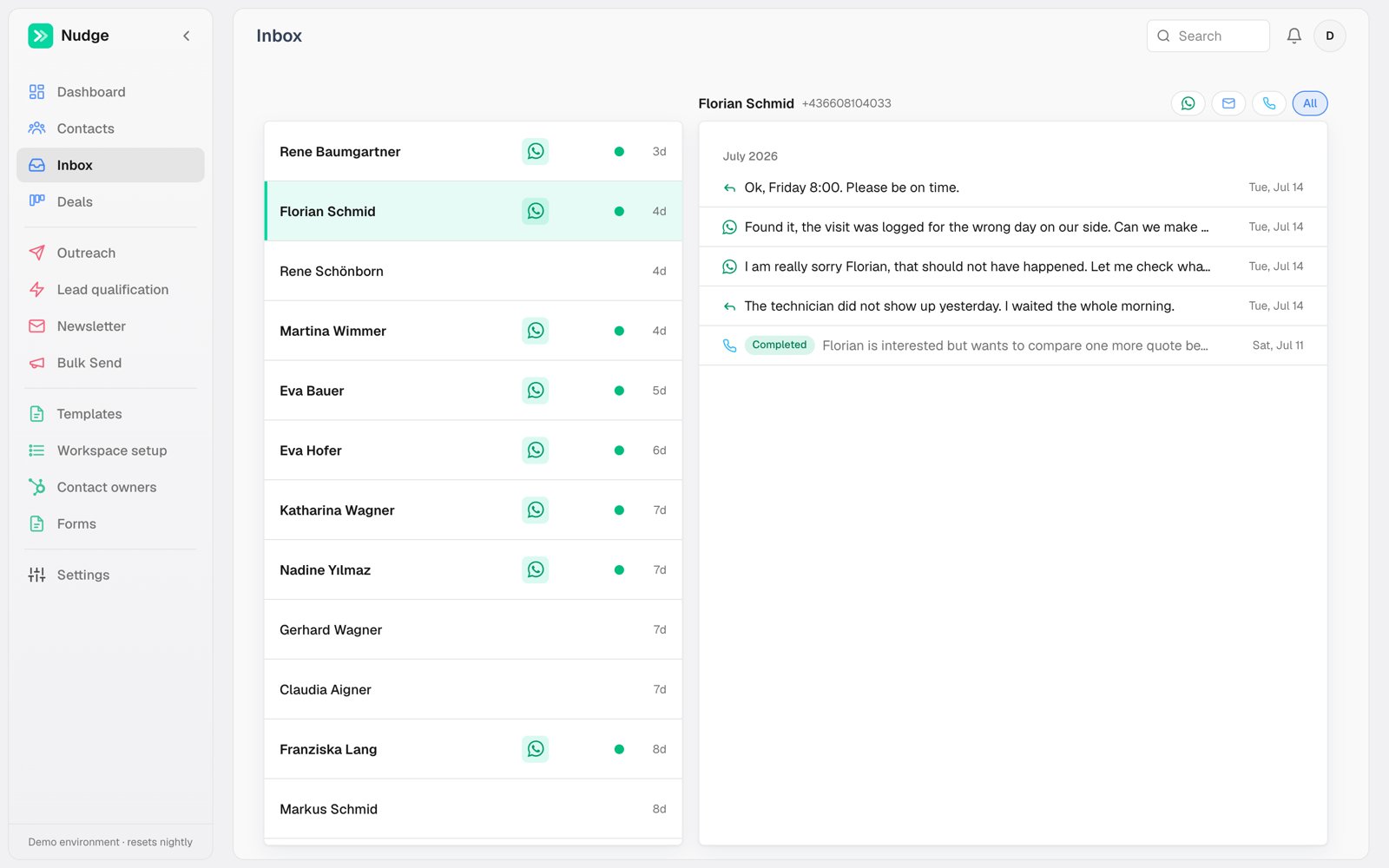
The Inbox is where conversations live. The left list orders contacts by their latest activity, with unread indicators; the right pane shows the selected contact's thread.
 ## One thread per contact
A thread mixes channels in time order: the WhatsApp back and forth, AI call summaries with their outcome badge, and emails. Filter to a single channel with the icons top right, or keep **All** to see the whole story.
## Replying
Type in the thread to answer on WhatsApp from the contact's owner number. Replies you send by hand are just messages; they do not re-trigger automations. What the contact's reply DOES do is stop automation: any queued automated messages for that contact are cancelled the moment an inbound message arrives, so nobody gets a robot follow-up mid-conversation.
**Place call** in the thread header starts an AI call without leaving the inbox.
## One thread per contact
A thread mixes channels in time order: the WhatsApp back and forth, AI call summaries with their outcome badge, and emails. Filter to a single channel with the icons top right, or keep **All** to see the whole story.
## Replying
Type in the thread to answer on WhatsApp from the contact's owner number. Replies you send by hand are just messages; they do not re-trigger automations. What the contact's reply DOES do is stop automation: any queued automated messages for that contact are cancelled the moment an inbound message arrives, so nobody gets a robot follow-up mid-conversation.
**Place call** in the thread header starts an AI call without leaving the inbox.