> ## Documentation Index
> Fetch the complete documentation index at: https://docs.autonudge.dev/llms.txt
> Use this file to discover all available pages before exploring further.
# Triggers
> Rules that read like sentences and chain into workflows
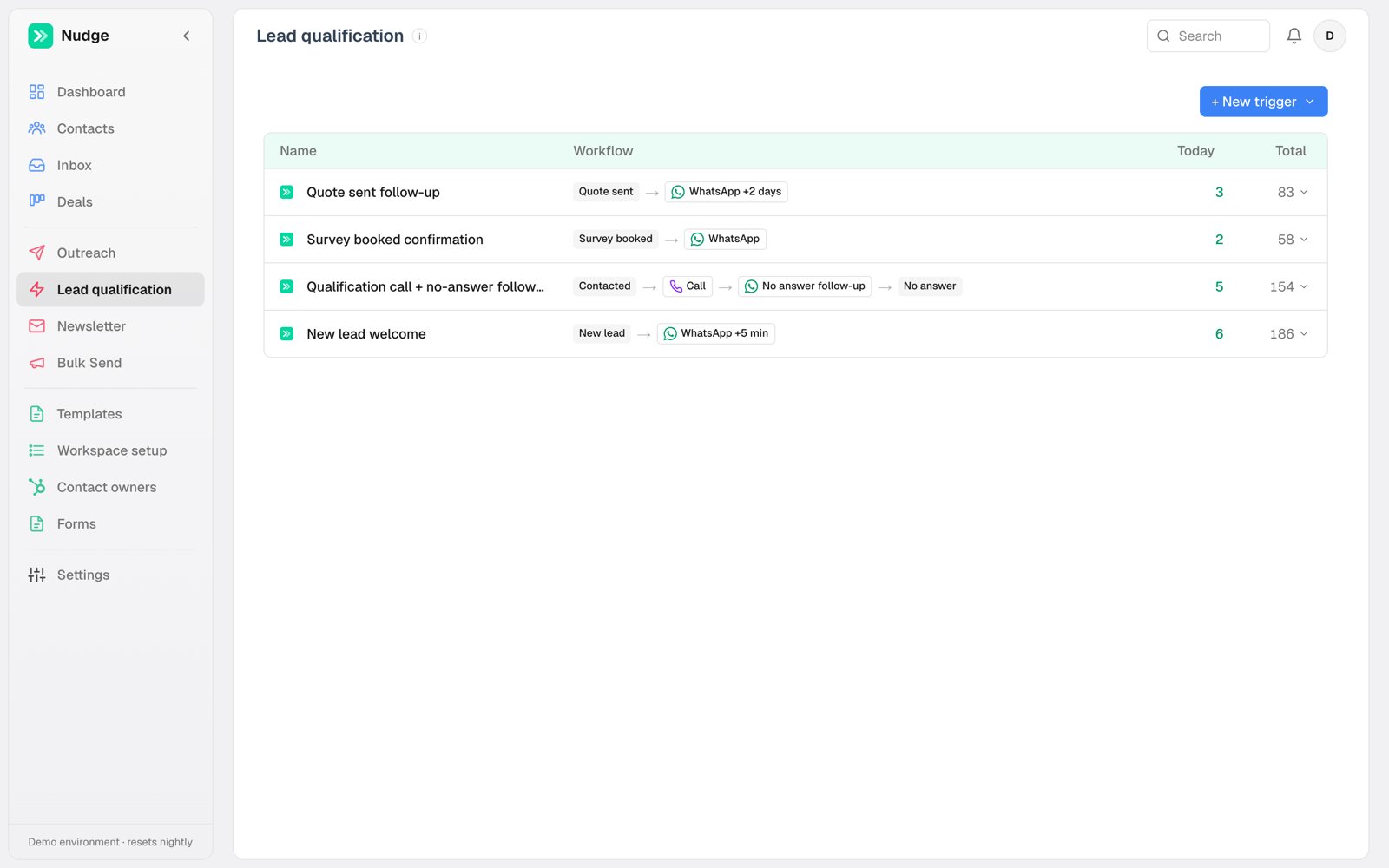
Triggers are the heart of Nudge. One trigger is one rule: **when a contact matches these conditions, take these actions**. Chains of small triggers replace the do-everything flowchart.
 ## Anatomy of a trigger
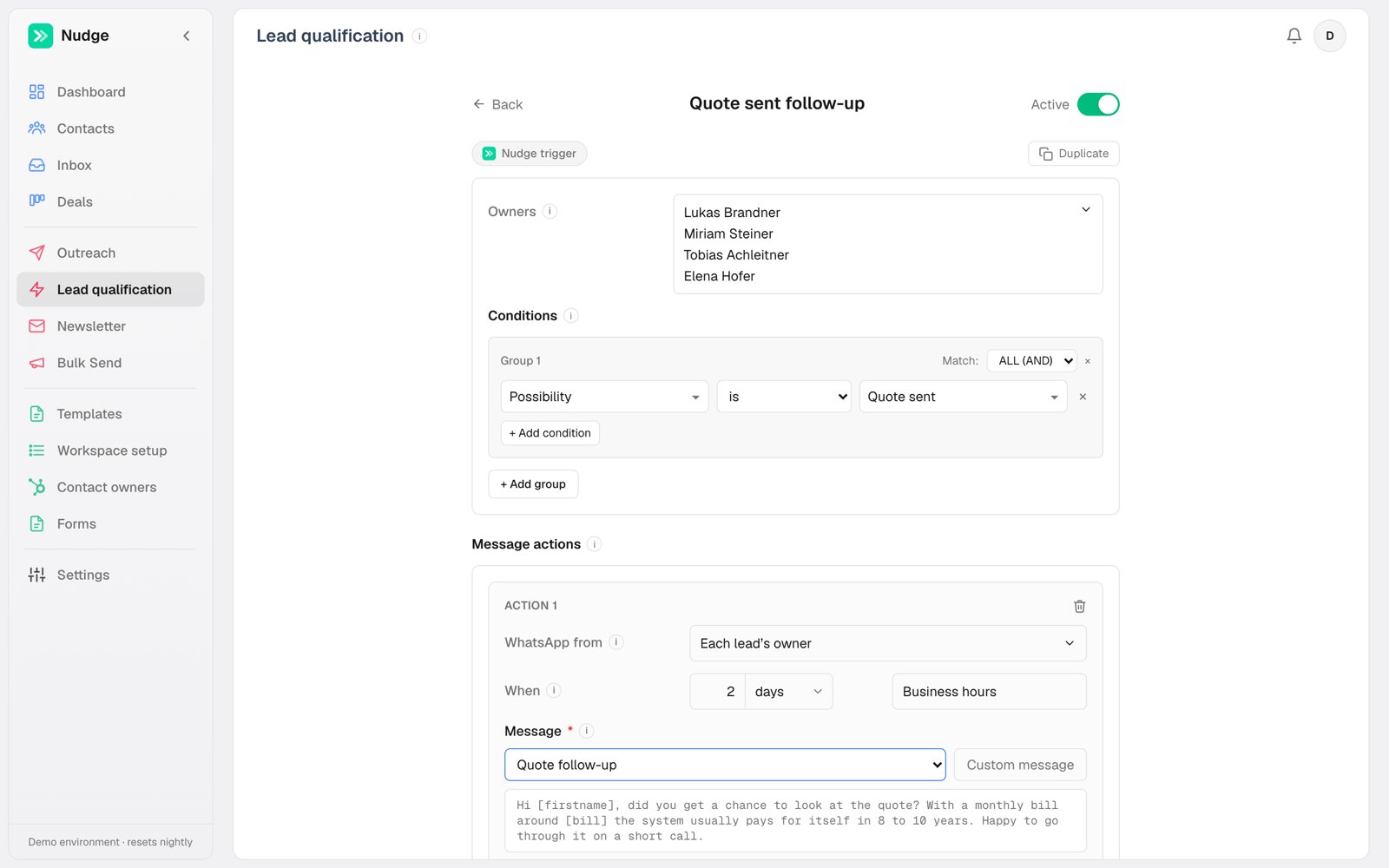 * **Owners**: which reps' contacts this trigger covers. A trigger can serve the whole team or one rep.
* **Conditions**: field-based rules, grouped with AND/OR. "Possibility is Quote sent" is the classic, but any registry field works: postcode starts with 6, budget above X, homeowner is Yes.
* **Message actions**: one or more sends, each with its own channel (WhatsApp, email or call), delay, and send window. A single trigger can call immediately AND queue a WhatsApp for two days later.
* **CRM writes**: what to set when the trigger fires or when a call ends. This is how chains form: the call action's "on failure set possibility to No answer" is what arms the no-answer follow-up trigger.
## Send windows
Each WhatsApp action picks when it is allowed to fire: **Business hours** holds until the owner's working hours, **Anytime** sends immediately, **Off-hours only** deliberately waits for the evening. Calls always clamp to the calling agent's hours; emails send any time.
## Once per contact
A trigger fires **once** per contact, ever. A contact bouncing back into the same state does not get the same message twice. Editing a trigger resets this, so your corrected version reaches the audience again; still-queued sends from the old version are cancelled at the same time.
Call-outcome triggers re-arm after 30 days of silence, so a lead who re-engages months later gets the retry chain again instead of being permanently used up.
## Categories
Trigger categories are yours to define, and each becomes its own sidebar tab. The demo ships with Lead qualification and Newsletter; add categories like Reactivation or Onboarding in Workspace setup. New triggers start disabled so you can review them before they touch live contacts.
* **Owners**: which reps' contacts this trigger covers. A trigger can serve the whole team or one rep.
* **Conditions**: field-based rules, grouped with AND/OR. "Possibility is Quote sent" is the classic, but any registry field works: postcode starts with 6, budget above X, homeowner is Yes.
* **Message actions**: one or more sends, each with its own channel (WhatsApp, email or call), delay, and send window. A single trigger can call immediately AND queue a WhatsApp for two days later.
* **CRM writes**: what to set when the trigger fires or when a call ends. This is how chains form: the call action's "on failure set possibility to No answer" is what arms the no-answer follow-up trigger.
## Send windows
Each WhatsApp action picks when it is allowed to fire: **Business hours** holds until the owner's working hours, **Anytime** sends immediately, **Off-hours only** deliberately waits for the evening. Calls always clamp to the calling agent's hours; emails send any time.
## Once per contact
A trigger fires **once** per contact, ever. A contact bouncing back into the same state does not get the same message twice. Editing a trigger resets this, so your corrected version reaches the audience again; still-queued sends from the old version are cancelled at the same time.
Call-outcome triggers re-arm after 30 days of silence, so a lead who re-engages months later gets the retry chain again instead of being permanently used up.
## Categories
Trigger categories are yours to define, and each becomes its own sidebar tab. The demo ships with Lead qualification and Newsletter; add categories like Reactivation or Onboarding in Workspace setup. New triggers start disabled so you can review them before they touch live contacts.